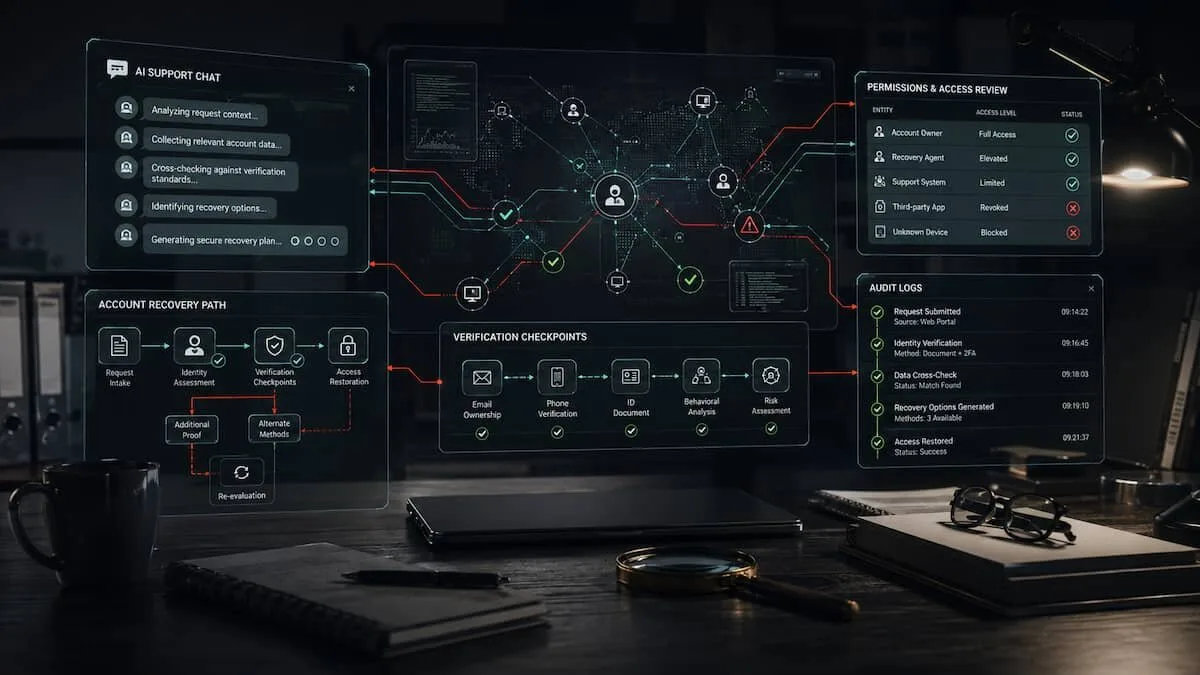

The risky part of an AI support agent is not the chat window.
It is the authority behind it.
A support assistant that explains a help page is one thing. A support assistant that can trigger a recovery flow, open an internal ticket, modify an account field, escalate a case, access user-specific data, or call a backend tool is something else. At that point, the system is no longer only answering. It is operating near an access boundary.
That boundary matters for OSINT, digital security, platform investigations, and incident analysis.
Many public discussions about AI support failures focus on whether the model was “fooled”. That can be relevant, but it is not the strongest investigative question. The stronger question is operational:
What was the AI system allowed to do after it accepted the request?If the answer is “nothing beyond general advice”, the risk is limited. If the answer includes account recovery, identity verification, permission changes, moderation actions, payment support, personal data access, or administrative workflows, the AI layer becomes part of the account security surface.
For investigators, that changes the evidence map.
Why the interface is not the system
The visible interface is only one layer of an AI support product. Behind it may be a routing system, a retrieval layer, a policy engine, human review queues, customer service tooling, account databases, APIs, and logging systems.
An outside observer rarely sees all of that architecture. Public evidence may show a screenshot, a screen recording, a user report, a researcher post, a company statement, or a support page. Each item can be useful, but none of them automatically explains the full mechanism.
This is where OSINT discipline matters. Do not collapse the interface, the model, the workflow, and the permission layer into one vague object called “the AI”.
Separate them.
An AI support system may have several possible roles:
- answer general questions;
- collect information from a user;
- classify a support request;
- summarize a case for a human agent;
- create or update a support ticket;
- retrieve account-specific data;
- call internal tools;
- recommend an action to a human reviewer;
- execute a change through an API.
These roles carry different levels of risk. A chatbot that only describes the official password reset process is not equivalent to an agent that can start or alter that process.
The investigation should focus on the transition point: where the system moves from conversation to action.
The OSINT problem: claim, mechanism, authority
AI support incidents often arrive as incomplete public claims.
Someone may say that an account was recovered, modified, suspended, restored, or accessed through an AI support interaction. The claim may be accompanied by screenshots or a short video. A platform may later say the issue was fixed. Researchers may discuss the possible path in public communities.
That does not mean every detail is verified.
A practical OSINT workflow should split the investigation into three layers:
Claim: what is alleged to have happened?
Mechanism: how is it alleged to have happened?
Authority: what would the AI system need permission to do for the claim to be true?
This structure prevents a common error: treating a visible outcome as proof of a specific technical cause.
For example, a claim about account access does not automatically prove that the model itself changed the account. The support agent may have routed a case to a human queue. It may have triggered a workflow with additional checks. It may have exposed a weak verification path. It may have been one component in a larger process.
The point is not to reduce the risk. The point is to locate it.
A field workflow for investigating AI support agents
1. Write the claim as a single sentence
Start with a narrow statement.
An AI support agent was reportedly used to influence an account access workflow.Then write what is not yet known.
Unknown: whether the agent directly changed account data, routed a request to another system, bypassed verification, or only produced guidance used elsewhere.This simple separation makes the analysis harder to overstate. It also gives you a cleaner structure for collecting evidence.
2. Map the action boundary
The central question is not whether the AI gave a persuasive response. The central question is whether the AI could cause a downstream action.
Build an action map:
Input: what did the user ask?
Interpretation: how did the system classify the request?
Tool access: which tools or workflows could be called?
Verification: what proof of identity was required?
Execution: what changed, if anything?
Review: was a human approval step visible?
Log trail: what record should exist?
This is useful even when the internal system is not visible. Public material can still support or weaken parts of the map.
A support page may reveal normal recovery requirements. A company statement may confirm that a category of issue was addressed. A screenshot may show the language of the interaction. A researcher thread may identify a possible workflow. User reports may indicate whether the issue appears isolated or repeated.
Each source answers a different part of the map.
3. Classify the agent’s authority
For platform investigations, authority should be treated as an observable risk category.
Use a simple scale:
| Level | Role | Investigative meaning |
|---|---|---|
| 0 | General response only | Low operational authority; verify misinformation risk |
| 1 | Guided support | The agent explains official steps; check whether advice could mislead |
| 2 | Case creation | The agent can open or route support tickets; check abuse and escalation paths |
| 3 | Account-specific access | The agent can retrieve private or user-specific data; check privacy and authorization |
| 4 | Action recommendation | The agent can recommend changes to human staff; check review quality and evidence |
| 5 | Direct action | The agent can trigger changes through tools or APIs; check permissions, approval, and logs |
Most public reporting does not prove a precise level. That is acceptable. The point is to state the highest level supported by the evidence, not the most dramatic level imaginable.
4. Compare the workflow with least privilege
OWASP’s 2025 Top 10 for LLM and generative AI applications describes “Excessive Agency” as a risk category involving excessive functionality, excessive permissions, or excessive autonomy. That framing is useful for OSINT because it moves the analysis away from vague model blame and toward concrete control questions.
Ask:
- Did the agent have functions it did not need?
- Did its tools have broader permissions than the task required?
- Could it act without independent approval for high-impact actions?
- Were downstream systems enforcing authorization, or was the AI layer trusted too much?
- Were actions logged and monitored in a way that would reveal abuse?
For account access workflows, least privilege is not abstract. It means a support assistant that answers recovery questions should not have write access to account fields. A tool that checks ticket status should not be able to reset credentials. A summarization agent should not be able to bypass identity checks.
The more sensitive the action, the more independent the control should be.
5. Build an evidence table
Use a table that keeps the source and the claim separate.
| Source type | What it may support | What it cannot prove alone |
|---|---|---|
| Screenshot | Visible language, interface state, claimed interaction | Full sequence, authenticity, scale |
| Screen recording | Claimed flow and order of steps | Backend permissions, reproducibility |
| Platform statement | Acknowledgment, fix, policy position | Full technical root cause |
| Support documentation | Normal account recovery requirements | What happened in the incident |
| User reports | Repeated symptoms or affected accounts | Causality without corroboration |
| Researcher analysis | Hypothesis, test method, technical interpretation | Platform-wide impact unless independently verified |
This table protects the analysis from a common failure: using one strong-looking artifact to support too many conclusions.
6. Preserve uncertainty as a finding
In AI support investigations, the unknowns are often the most important part of the report.
Public evidence may not show:
- whether the action was fully automated;
- whether a human reviewer approved the final step;
- whether the weakness was in the model, the tool, the policy, or the recovery workflow;
- whether attackers needed prior information about the target;
- whether the issue affected one path, one account type, or a wider system;
- whether a patch removed the root cause or only blocked one prompt pattern.
These gaps should be written clearly. They are not cosmetic caveats. They define what the public record can and cannot support.
Red flags investigators should watch
Several signals deserve closer analysis when they appear in AI support systems.
The first is tool access that does not match the agent’s visible role. If the agent appears to be a help assistant but can call privileged internal functions, the real risk sits behind the interface.
The second is account-specific information appearing before strong verification. Any access to private account details should raise questions about authorization scope and identity checks.
The third is high-impact action without human approval. Password resets, recovery email changes, account restoration, payment changes, identity verification, and moderation decisions require stronger controls than ordinary support triage.
The fourth is generic privileged identity. If an AI extension acts through a broad service account rather than the specific user’s authorization context, attribution and permission control become weaker.
The fifth is weak logging language in public statements. A statement that says an issue was fixed may be true and still leave open questions about auditability, affected accounts, and similar workflows.
What this means for platform security analysis
AI support agents are not automatically dangerous. The risk depends on placement.
A low-authority assistant can still create misinformation, privacy, or user trust problems. But the most serious account security issues emerge when an AI layer sits close to identity, access, recovery, payments, moderation, or enforcement.
That is why “Was the chatbot wrong?” is too small as an investigative question.
Ask instead:
What can the agent access?
What can it change?
What verifies the user?
What approves the action?
What records the event?
What remains unknown from public evidence?
Those questions turn a vague AI incident into a structured investigation.
They also make the analysis more useful for defenders. If the problem is excessive permissions, the response is permission reduction. If the problem is excessive autonomy, the response is independent approval for high-impact actions. If the problem is weak downstream authorization, the response is complete mediation outside the model. If the problem is poor evidence, the response is better logging and disclosure.
Operational takeaway
For OSINT work, treat AI support agents as both interfaces and permission boundaries.
Do not start by asking whether the AI sounded convincing. Start by mapping what the system could do after the conversation began.
The next account access weakness may not look like a stolen password, a phishing kit, or a leaked database. It may look like an automated support layer connected to the wrong workflow with too much authority and too little independent control.
The evidence will not always be complete. That is why the method matters.
Separate the claim from the mechanism. Map the agent’s authority. Compare it with least privilege. Build a source-by-source evidence table. Preserve uncertainty.
The most important question is simple:
Where does the AI stop talking and start acting?That boundary is now part of the investigation.
Project Osint
Join the community